160.00৳ Original price was: 160.00৳ .150.00৳ Current price is: 150.00৳ .
সরাসরি কম্পিউটার থেকে প্রিন্ট করার সুবিধা।
কালার স্ক্যান করার জন্য স্ক্যানার সাপোর্ট।
অফিস, বাসা বা দোকানের জন্য নির্ভরযোগ্য এবং সহজে ইনস্টলযোগ্য ড্রাইভার।
১০০% পরীক্ষিত এবং সম্পূর্ণ কার্যকর।
ইনস্টলেশনের সময় সমস্যা হলে WhatsApp বা কলের মাধ্যমে তাৎক্ষণিক সাপোর্ট পাওয়া যাবে।
সফ্টওয়্যার সমস্যায় কল বা WhatsApp করুন
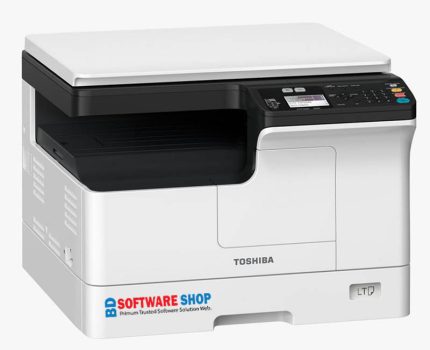
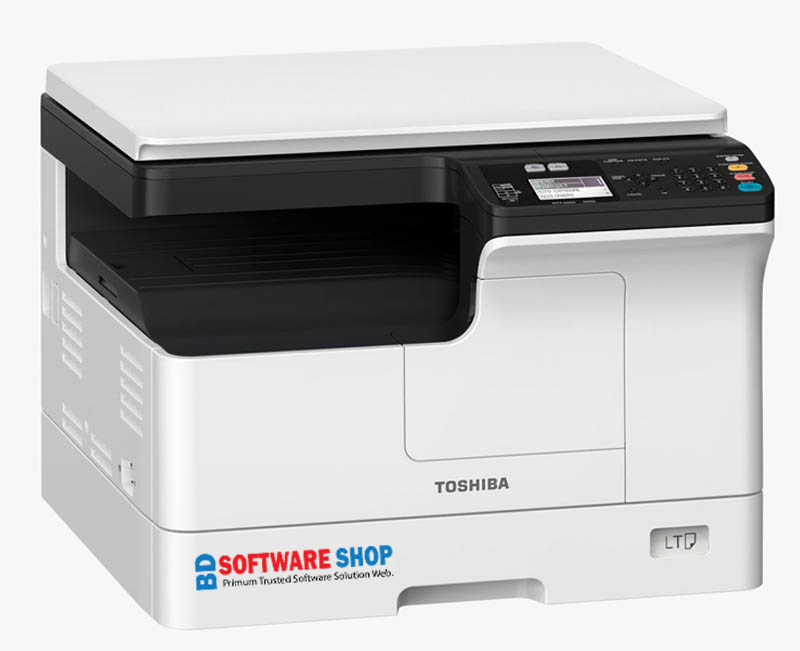
Looking for the latest Toshiba e-STUDIO 2323AM driver? You’re in the right place! The Toshiba e-STUDIO 2323AM is a high-performance multifunction printer that supports printing, scanning, and copying in one compact machine. To get the best performance, installing the official driver is essential. Here’s everything you need to know to download, install, and use your printer smoothly.
Without the proper driver, your printer will not function optimally. Installing the official driver ensures:
Direct Printing from your PC – No delays, just plug and play
High-Quality Color Scanning – Crisp and accurate scans
Smooth Copying – Perfect for documents of any size
Windows Compatibility – Works with Windows 7, 8, 10, 11
Stable & Error-Free Performance – Tested for reliability
Choose the right driver based on your operating system:
GDI Printer Driver
Scanner (TWAIN) Driver
Universal Printer Driver
Make sure to download the version that matches your Windows OS for flawless operation.
Windows 7 (32/64-bit)
Windows 8 / 8.1
Windows 10
Windows 11
Windows Server (selected editions)
Follow these easy steps:
Download the driver from the official link above
Extract the ZIP/EXE file using WinRAR or 7zip
Connect your printer to your PC via USB cable and turn it on
Open the driver folder and run Setup.exe
Complete the installation – now your printer is ready to print, scan, and copy
High-Quality Printing – Clear and fast prints
Fast Scanning – Accurate and sharp scans
Easy Installation – Step-by-step guidance included
Stable Performance – Low error rate
Fully Compatible – Works with latest Windows updates
All-in-One Functionality – Print, Scan, Copy seamlessly
Try a different USB port
Make sure the printer is turned on
Check OS compatibility
Run Windows Update
Restart your PC and try again
23 Pages per Minute (PPM) fast printing
Perfect for offices, shops, and home use
Long-lasting parts & toner efficiency
Smooth scanning and copying for all document types
Budget-friendly maintenance and operation
Installation issues or questions? Don’t worry. Our 24/7 WhatsApp and Call Support team is ready to assist you instantly.
Toshiba e-STUDIO 2323AM Driver Download ফাইলটি Windows 7, 8, 8.1, 10 এবং 11 এর ৩২-বিট ও ৬৪-বিট দুই ভার্সনেই কাজ করে। কোনো নির্দিষ্ট সিস্টেম রিকোয়ারমেন্ট থাকলে সেটি উপরের Description অংশে উল্লেখ করা থাকে, তাই কেনার আগে একবার দেখে নিলেই নিশ্চিত হতে পারবেন।
ডাউনলোড লিংক থেকে ফাইলটি নামিয়ে ZIP ফাইলটি Extract করুন। এরপর প্রিন্টারটি USB কেবল দিয়ে কম্পিউটারে সংযুক্ত করে Setup ফাইলে ডাবল ক্লিক করুন এবং স্ক্রিনের নির্দেশ অনুসরণ করুন। সাধারণত পুরো কাজটি ১ থেকে ৫ মিনিটের মধ্যেই শেষ হয়ে যায়।
হ্যাঁ। পেমেন্ট সম্পন্ন হওয়ার সাথে সাথেই আপনার জন্য একটি অটো ডাউনলোড লিংক তৈরি হয়। লিংকে ক্লিক করলেই সরাসরি ডাউনলোড শুরু হবে, কোনো অপেক্ষা করতে হবে না।
চিন্তার কোনো কারণ নেই। WhatsApp বা কল করুন 01861624848 নম্বরে। আমাদের সাপোর্ট টিম ধাপে ধাপে পুরো প্রক্রিয়াটি বুঝিয়ে দেবে এবং প্রয়োজনে নিজেরাই সেটআপ করে দেবে, যতক্ষণ না ড্রাইভারটি ঠিকভাবে কাজ করছে।
হ্যাঁ, সম্পূর্ণ ফ্রি। প্রয়োজন হলে AnyDesk বা TeamViewer দিয়ে আমরা সরাসরি আপনার কম্পিউটারে যুক্ত হয়ে ড্রাইভারটি ইনস্টল ও কনফিগার করে দিই। এর জন্য কোনো বাড়তি খরচ নেই।
হ্যাঁ। আমাদের প্রতিটি ফাইল ভাইরাস স্ক্যান করা, ম্যালওয়্যার মুক্ত এবং বিজ্ঞাপন মুক্ত। নিশ্চিন্তে ডাউনলোড করতে পারেন, আপনার কম্পিউটারের কোনো ঝুঁকি নেই।
Stay updated with new software, printer drivers, tools and useful guides.
Genuine PC software, drivers and tools. Reliable downloads, fast delivery and affordable prices.
© 2026 BD Software Shop — All rights reserved.
Made with ♥ in বাংলাদেশ
আসসালামু আলাইকুম! ড্রাইভার, সফটওয়্যার বা ডাউনলোড নিয়ে যেকোনো প্রশ্ন থাকলে লিখুন — আমরা সাহায্য করছি।
Reviews
There are no reviews yet.